Every trip, beautifully worked out.
Tripella turns the flights, the stays, the trains and that dinner you booked months ago into one calm, clear plan, with AI on hand to suggest the rest. It tracks your someday ideas, tells the story while you’re away, and squares up the costs when you’re home.
The whole trip, in one tidy timeline
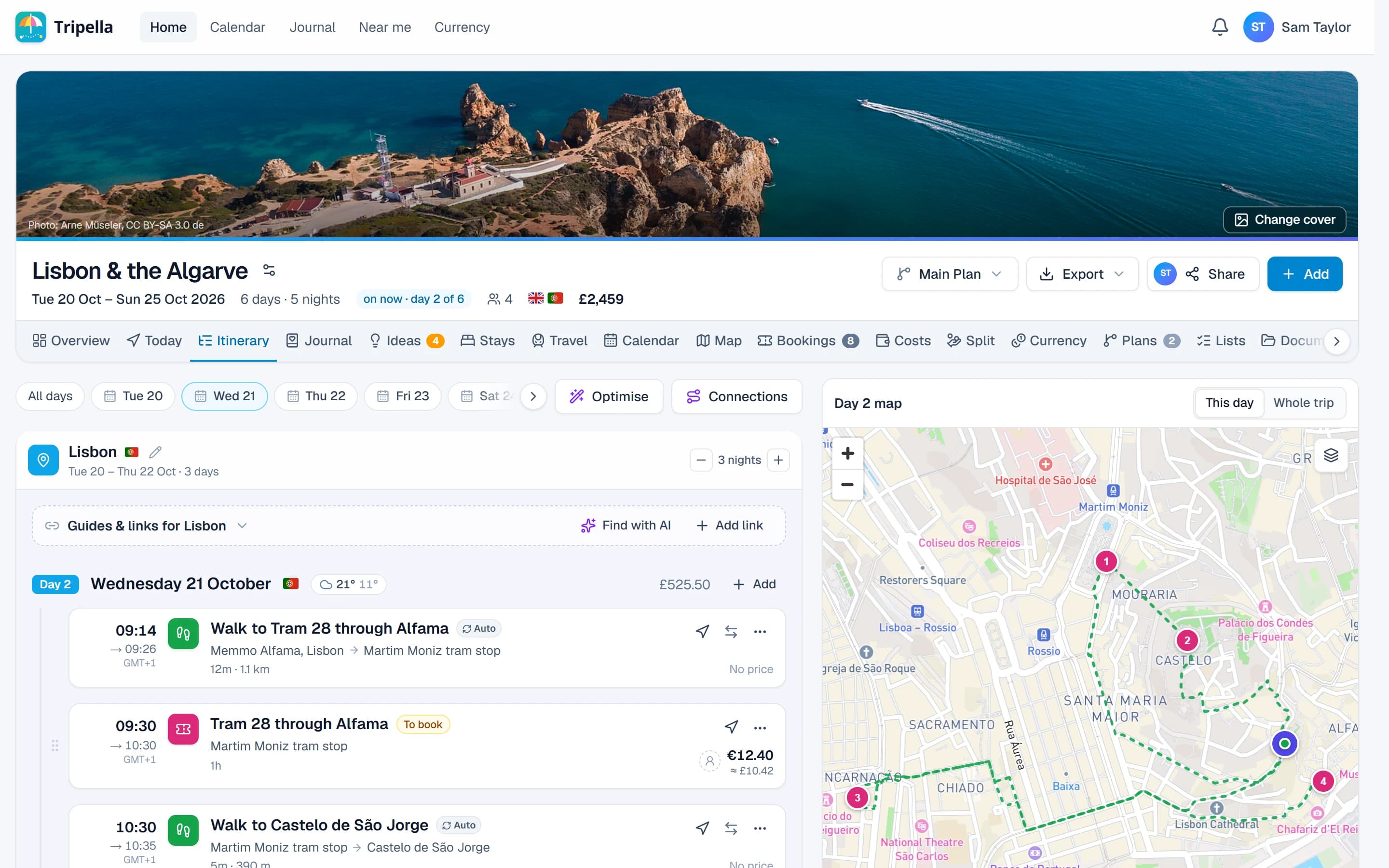
Add what you've booked and what you'd love to do, and Tripella lays it out day by day with a map alongside. It keeps an eye on the details too: no clashing times, no night without a bed, no gap without a way across it.
- Day by day, with each day's route on the map
- Clashes and missing nights flagged before they bite
- Ideas you've saved, fitted into the days by AI
Ideas from a well-travelled friend
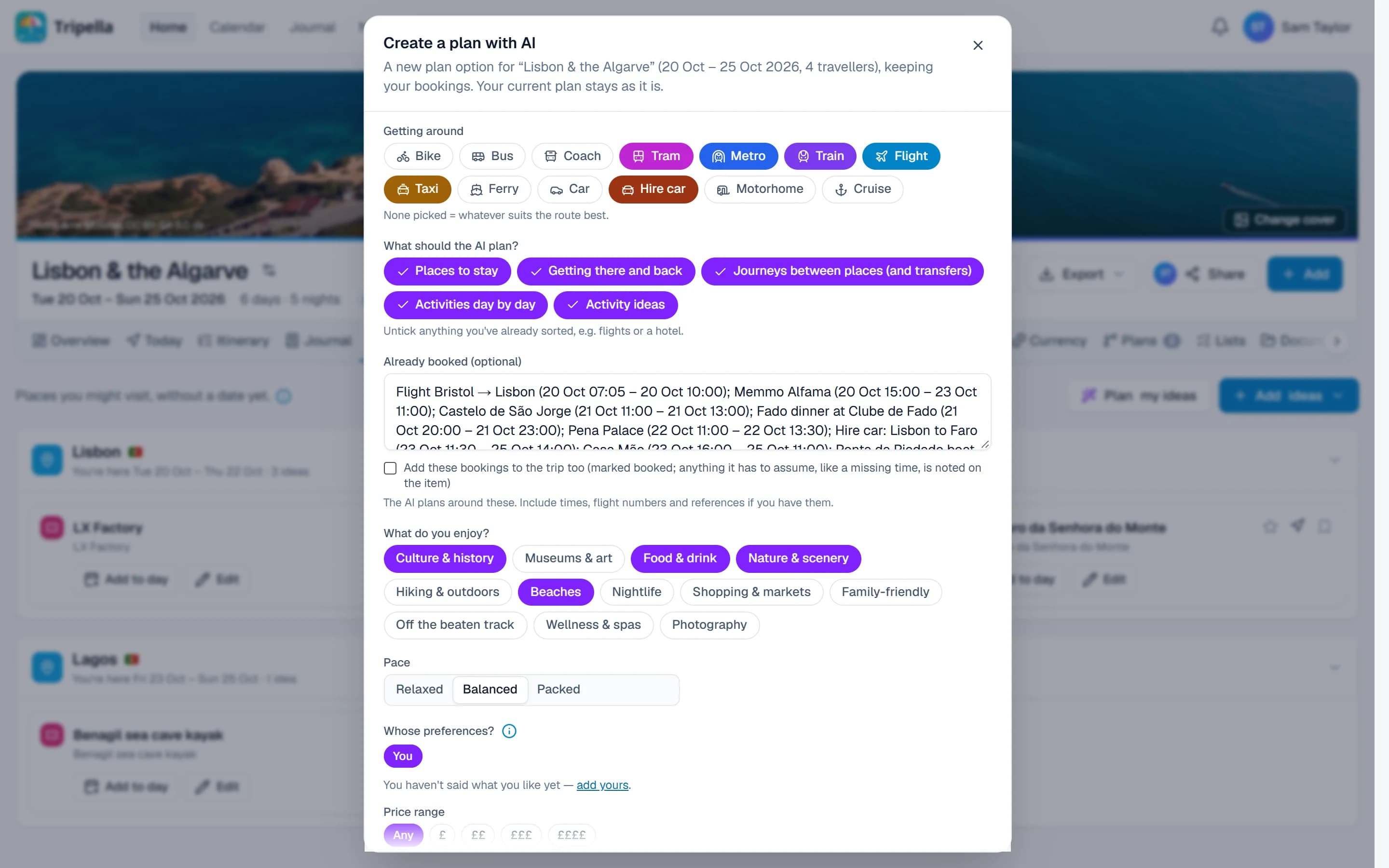
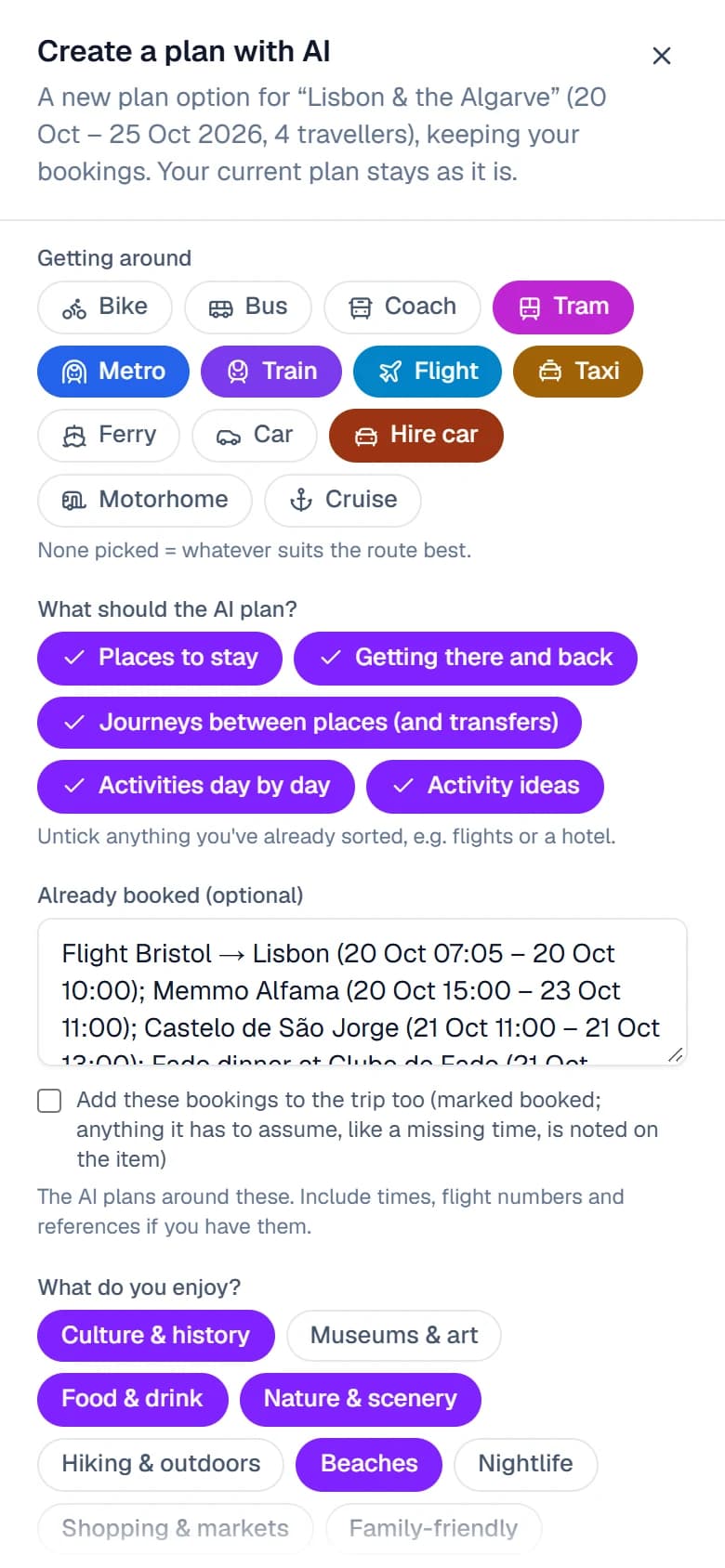
Tell it how you like to get around, what you're into and how busy you want the days, and Tripella's AI drafts the lot: where to stay, the journeys in between and things to do each day. It plans around what you've already booked and arrives as a separate plan to compare, and anything it adds is marked so you know what to double-check.
- Stays, journeys and days out, planned around your bookings
- A new plan to compare, with your own left as it is
- Clearly marked, so you always know what to check
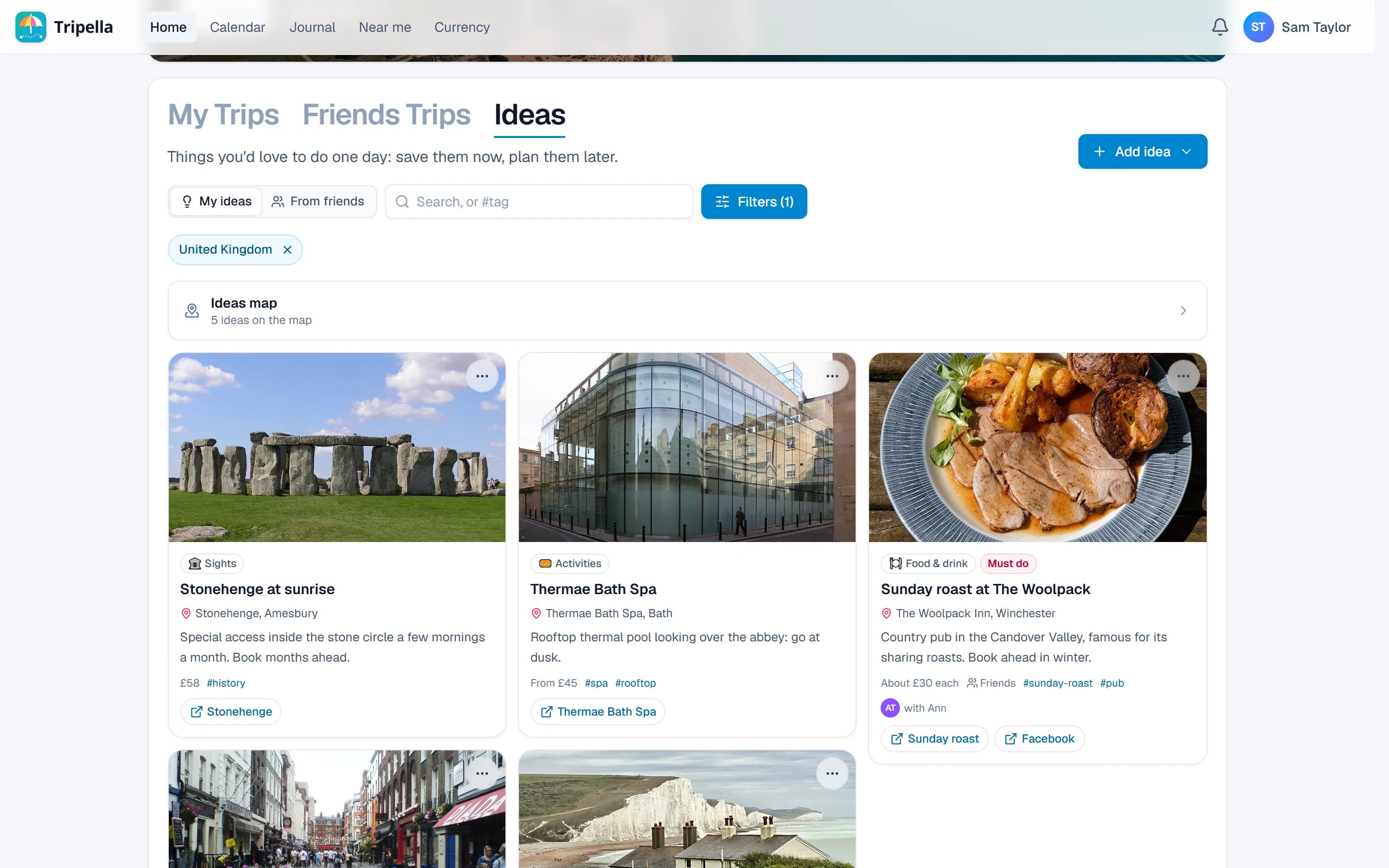
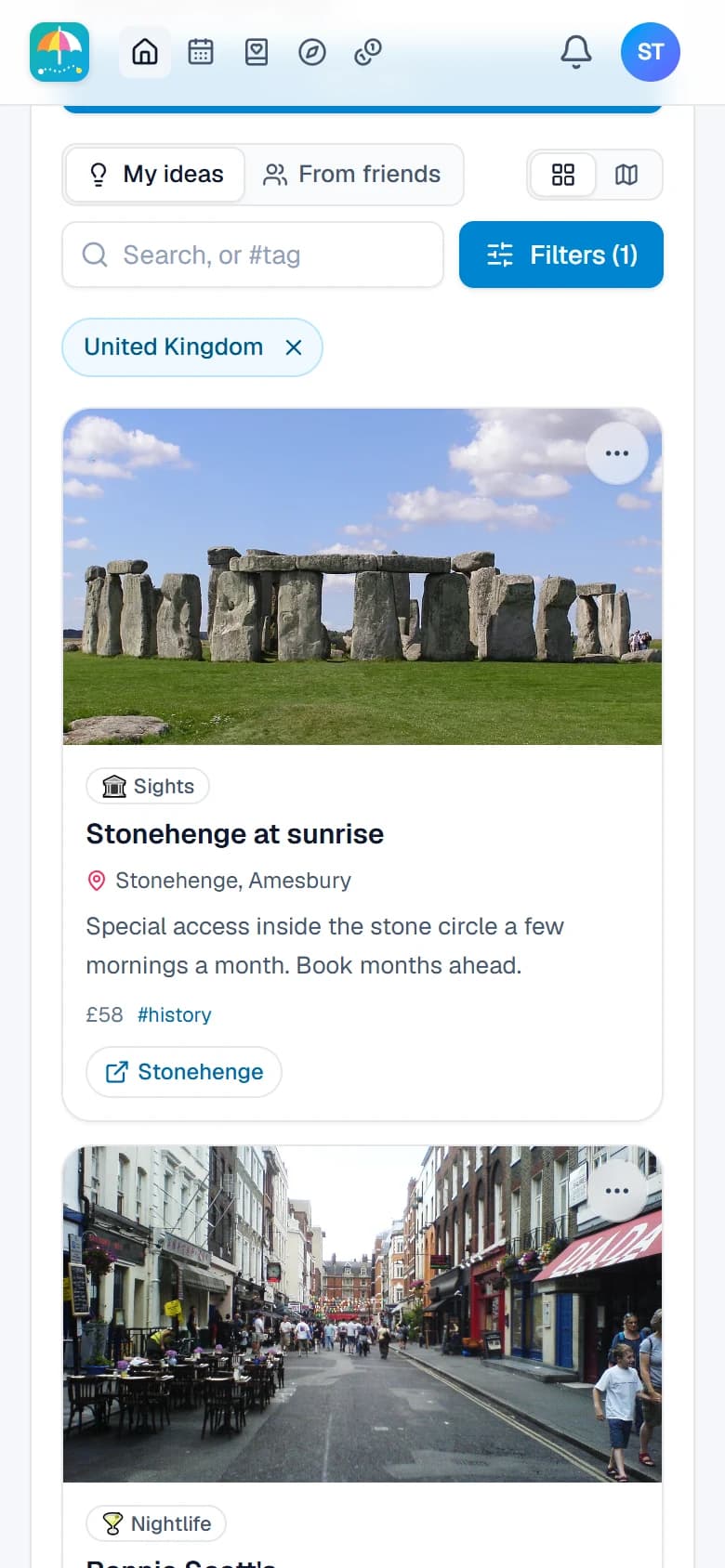
Saw it on Instagram? Save it for another day
The street-food stall in someone's reel, the cliff walk a friend won't stop talking about, the city you keep meaning to visit. Paste the link or just describe it, and AI finds the place, a rough price and its website. Your ideas live on a map, sorted by country and kind, and when the moment comes, one tap turns an idea into a trip.
- Links from Instagram, Facebook, TikTok and YouTube
- A post with several places in it? Each one saved as its own idea
- Ticked off as visited once you've actually been
The bits in between, already sorted
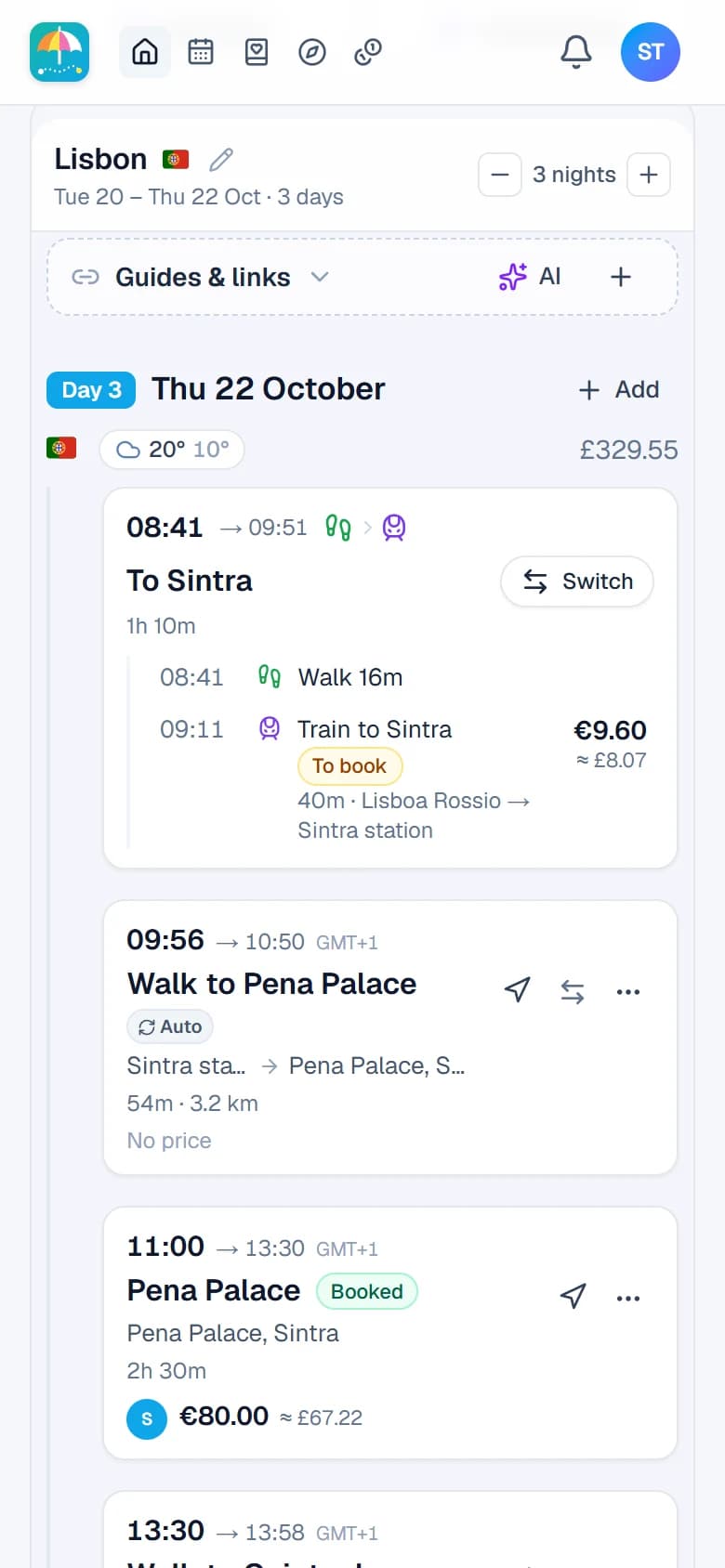
Pop in the train to Sintra and Pena Palace, and Tripella works out the walk from the station. It plans the drive to the beach, the ferry on the way, and the trip to the airport from each person's front door. Rather take the bus? Switch it in a tap, or ask the AI for the best way across town.
- Walks, trains, drives and ferries worked out for you
- Separate journeys for friends setting off from elsewhere
- Times, distances and fares on every leg
Your day, in your pocket
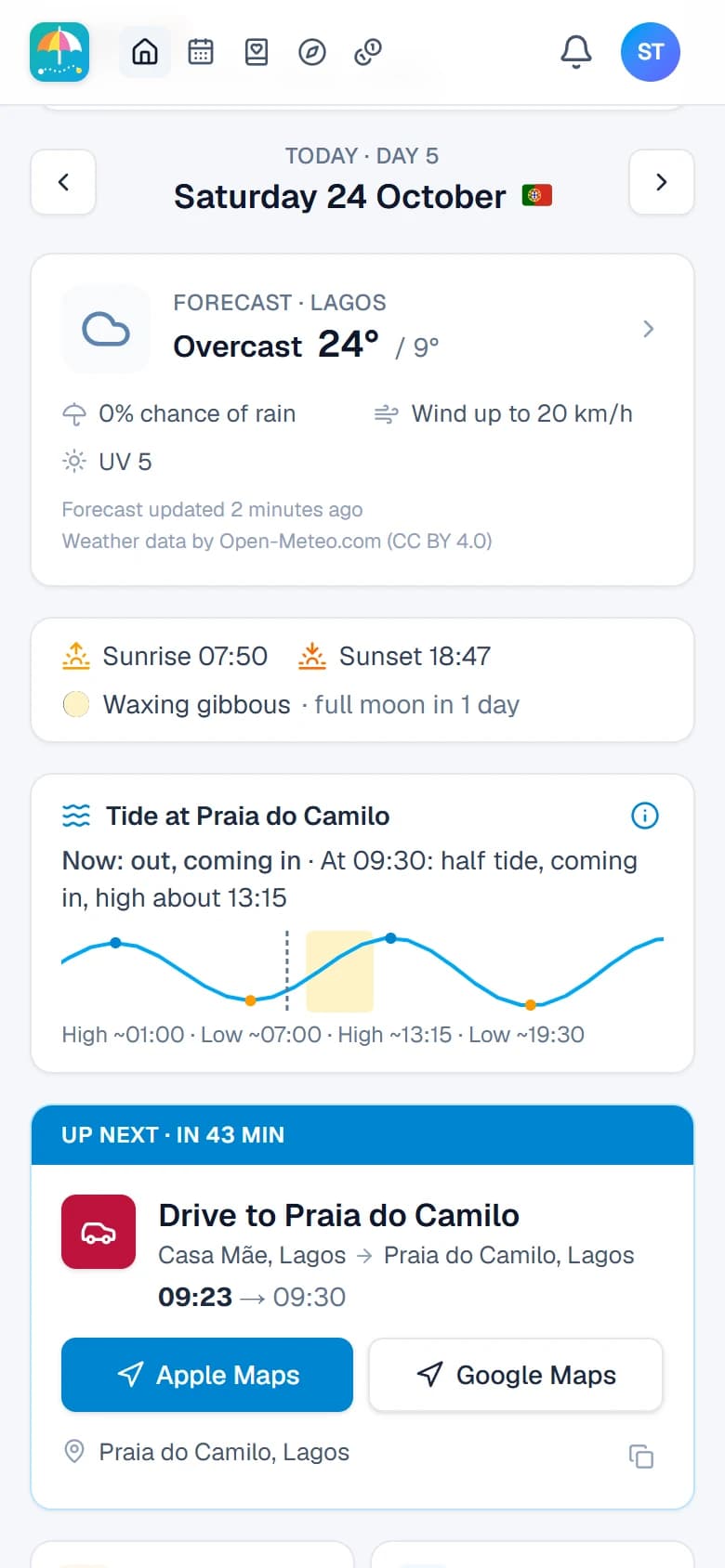
Open Tripella while you're away and it shows what matters right now. You get the forecast, sunrise and sunset, the tide at the beach you're heading for and what's up next, with directions in Apple or Google Maps a tap away.
- Weather where you'll be, hour by hour
- Tide times for beaches, plus the sun and moon
- Up next, with when to leave and how to get there
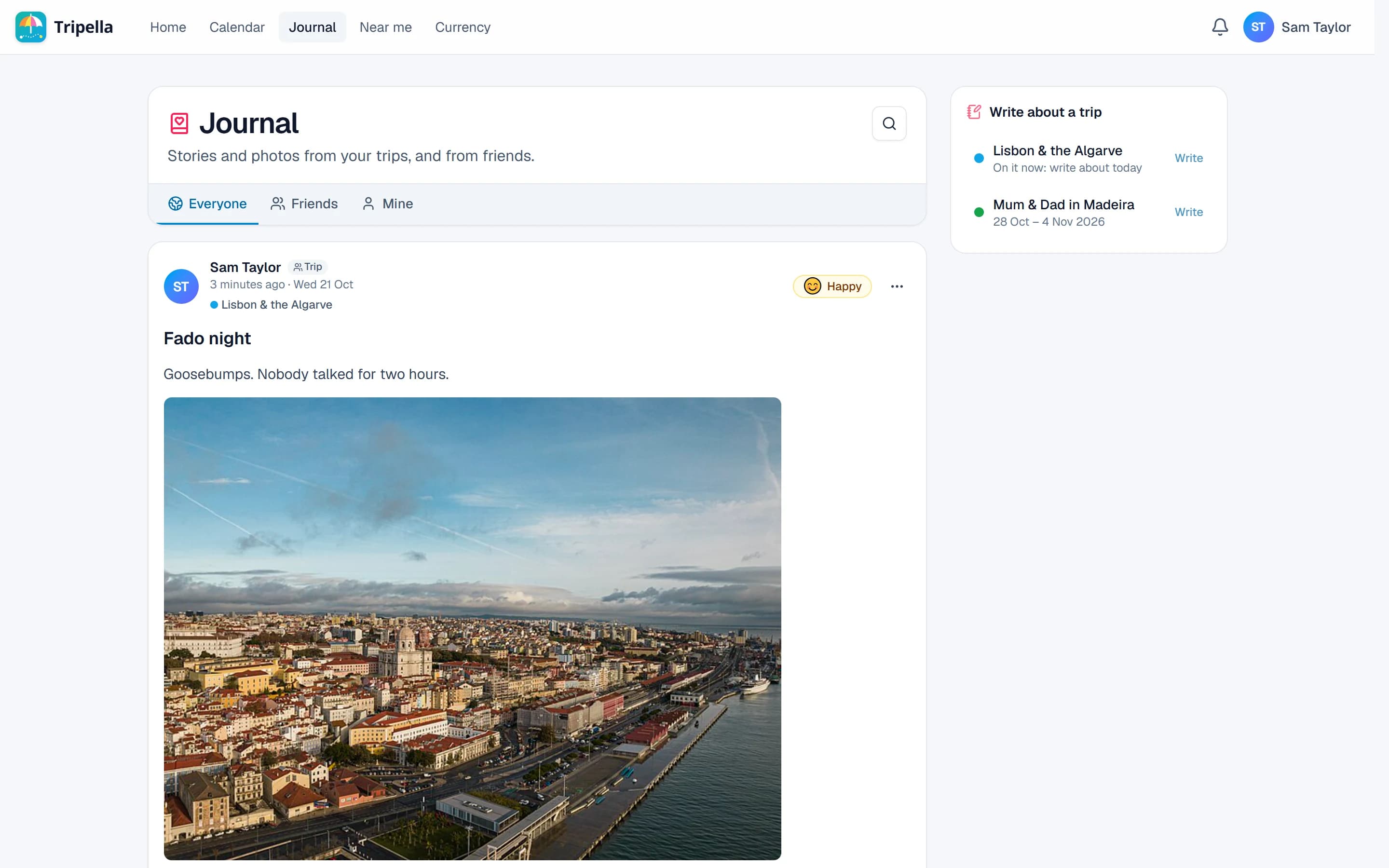
Tell the story while it's still warm
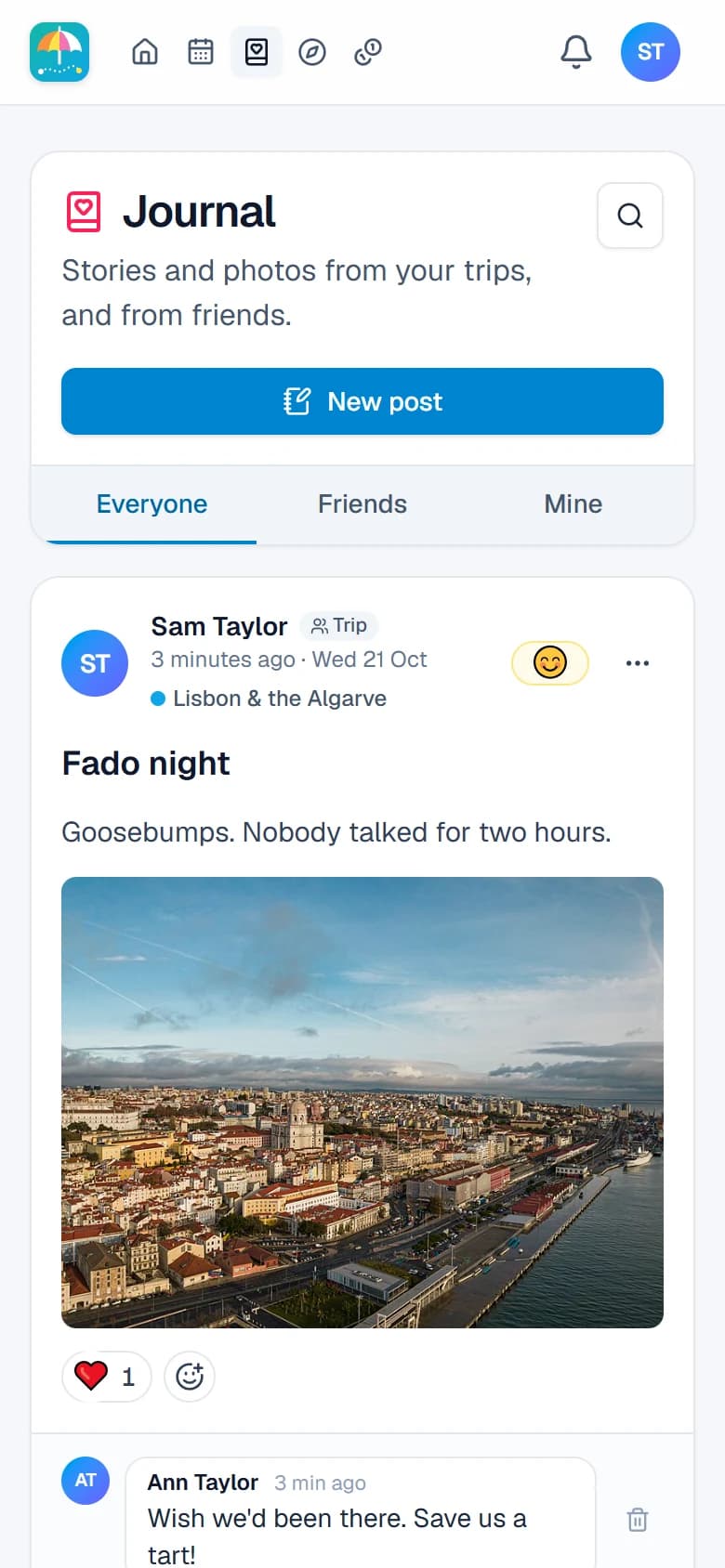
Jot down the day as it happens: the photos, the places you went and the route you took, drawn on a little map. Friends can react and reply, and you choose who sees each post, from just you to everyone.
- Photos, places and the day's route in every post
- Reactions and replies from the people who matter
- Just you, the trip, your friends or everyone: your call
Better with friends
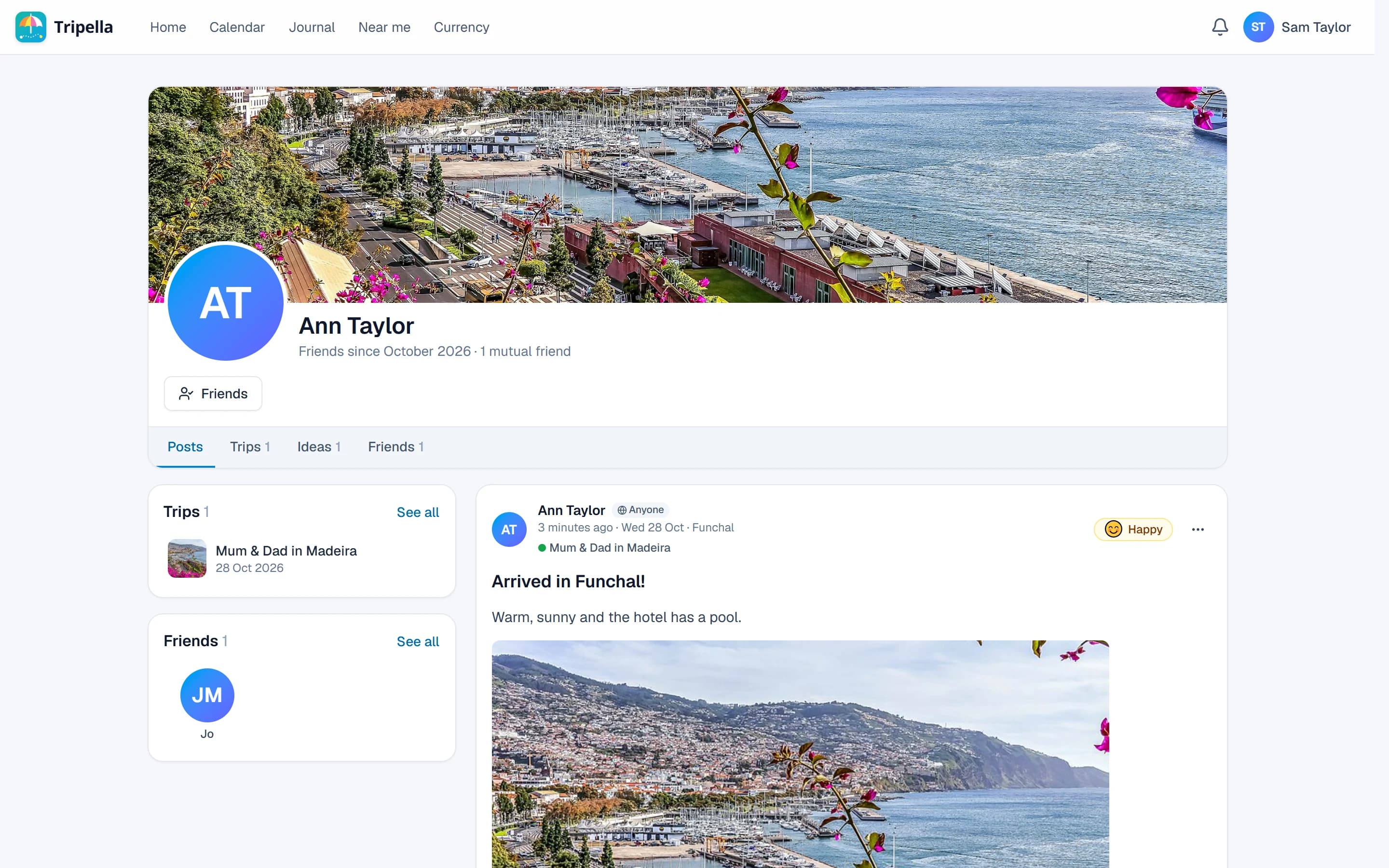
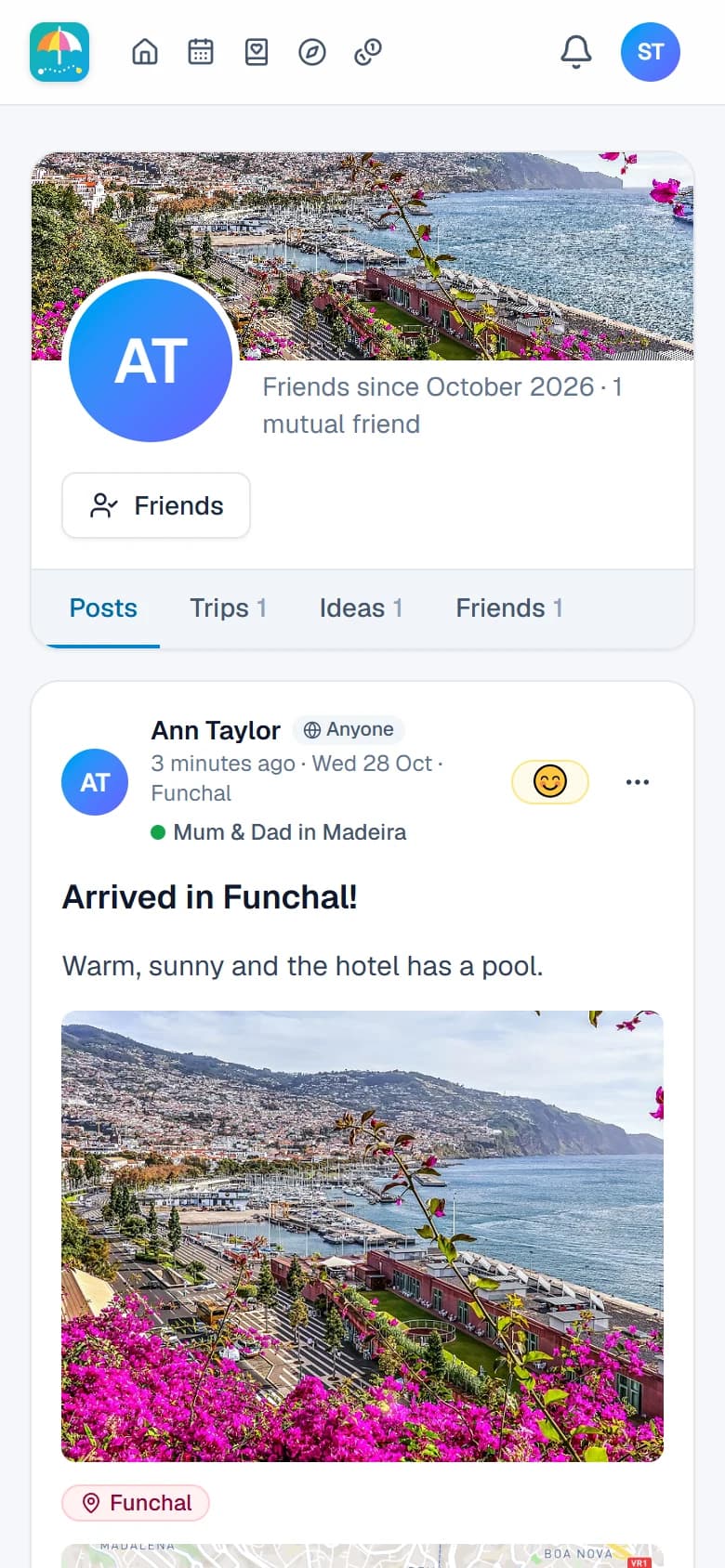
Everyone has a profile: their posts, their trips and the ideas they share with friends. Follow a friend's trip to see how it's going, save their best ideas to your own, and spot the friends you have in common. You choose what they see.
- Follow friends' trips as they happen
- Their shared ideas, saved to yours in a tap
- Notifications for invites, replies and changes to your trips
Can't decide? Plan it both ways
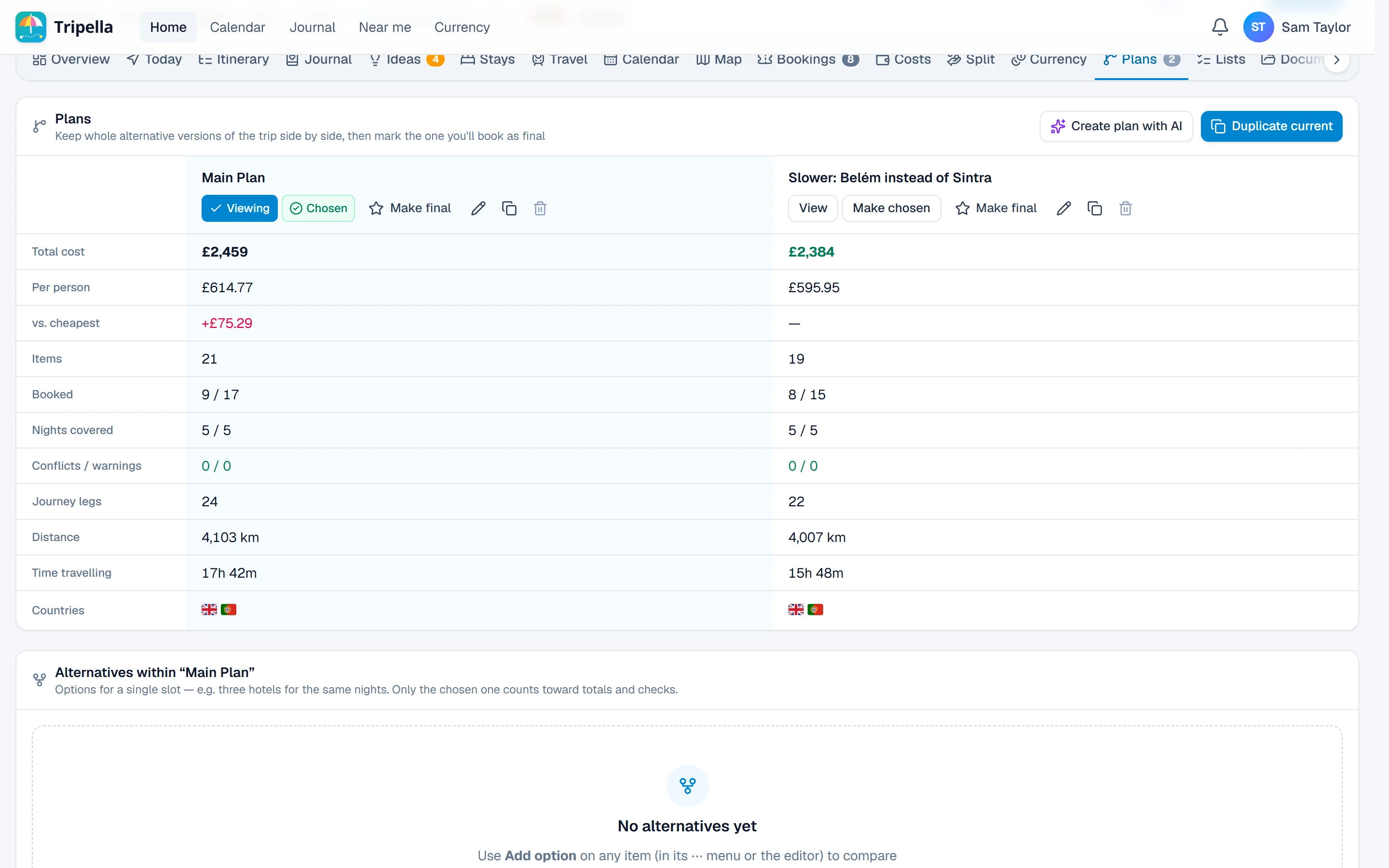
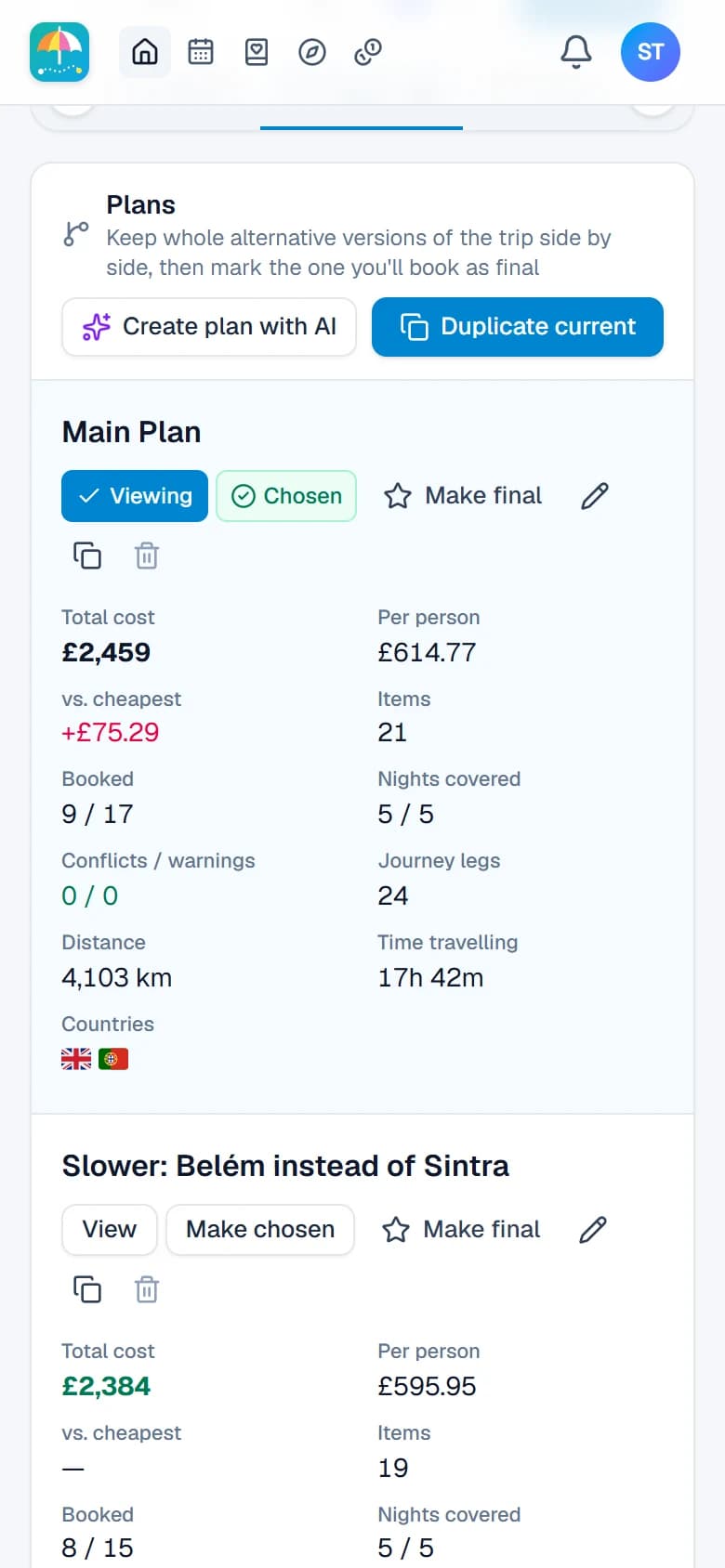
Make a slower version or a cheaper one, or let the AI draft one for you, then compare them side by side. You'll see the cost per person, how much is booked and the time spent travelling. Look around either one freely, and choose when you're ready.
- Copies of a plan in a click
- Totals, nights and travel time compared
- Bookings kept in step across your plans
Fair shares, without the awkward maths
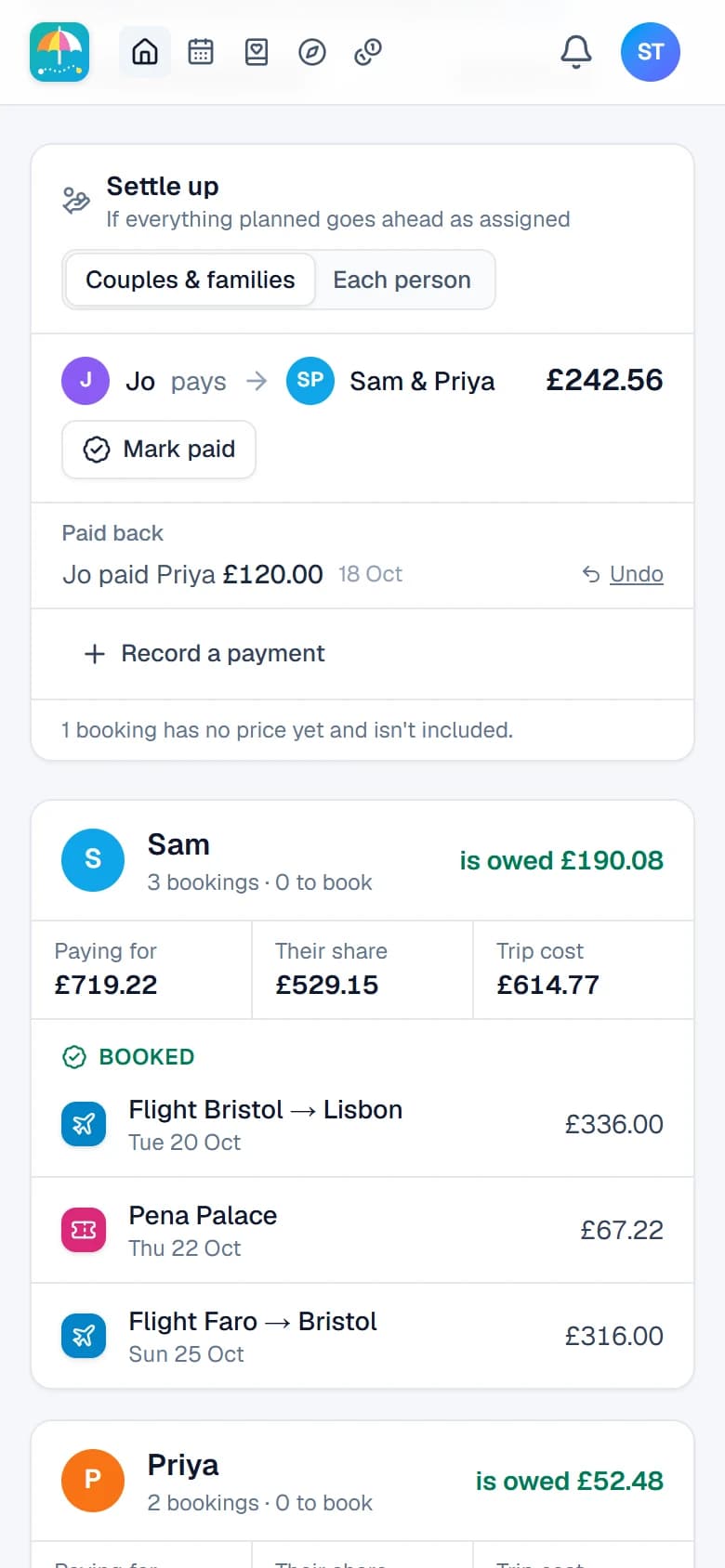
Whoever paid, in whatever currency, Tripella keeps the tab. It works out the fewest payments to settle up, between each person or each couple and family. Mark one as paid and everyone's up to date.
- Split by person, or by couple and family
- Paid in euros, settled in pounds
- Refunds and cancellations handled fairly
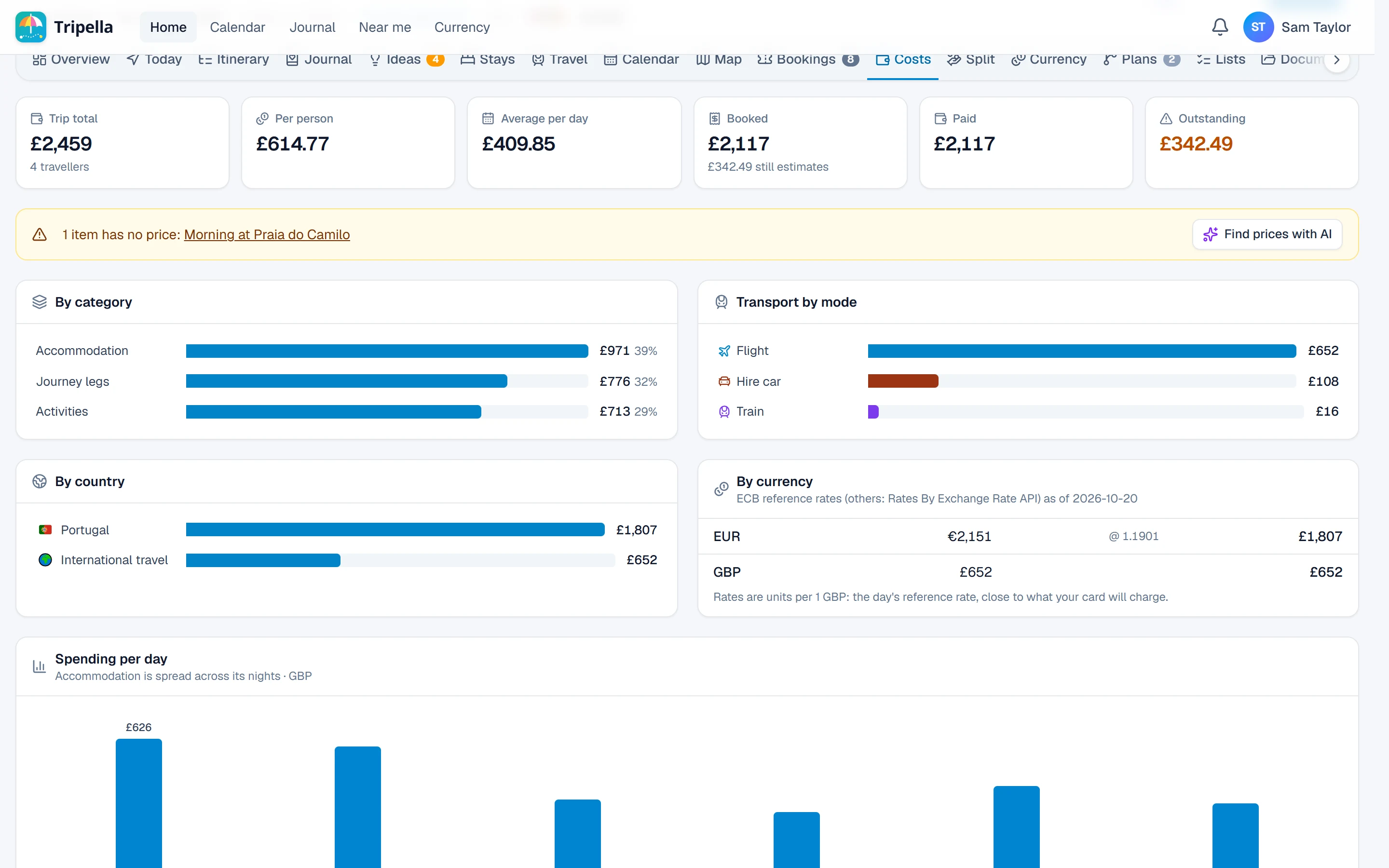
Know exactly what's left to book
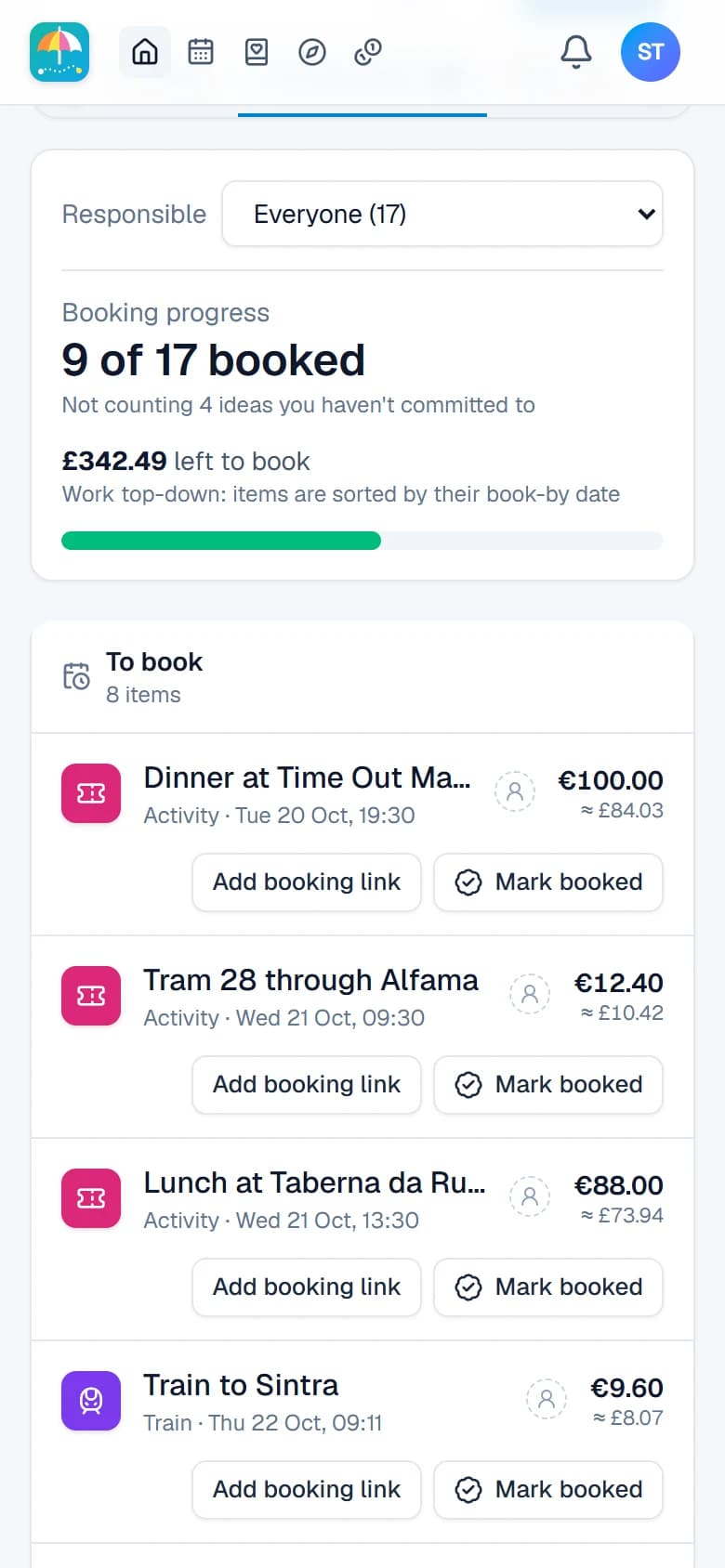
Every flight, room and ticket, booked or still to book, with who's paying and their confirmation codes. Keep the tickets and the PDFs with the booking they belong to, so nothing's lost in someone's inbox.
- What's booked and what's still to do
- Confirmation codes, tickets and files in one place
- Stays, prices and travel options found by AI to compare
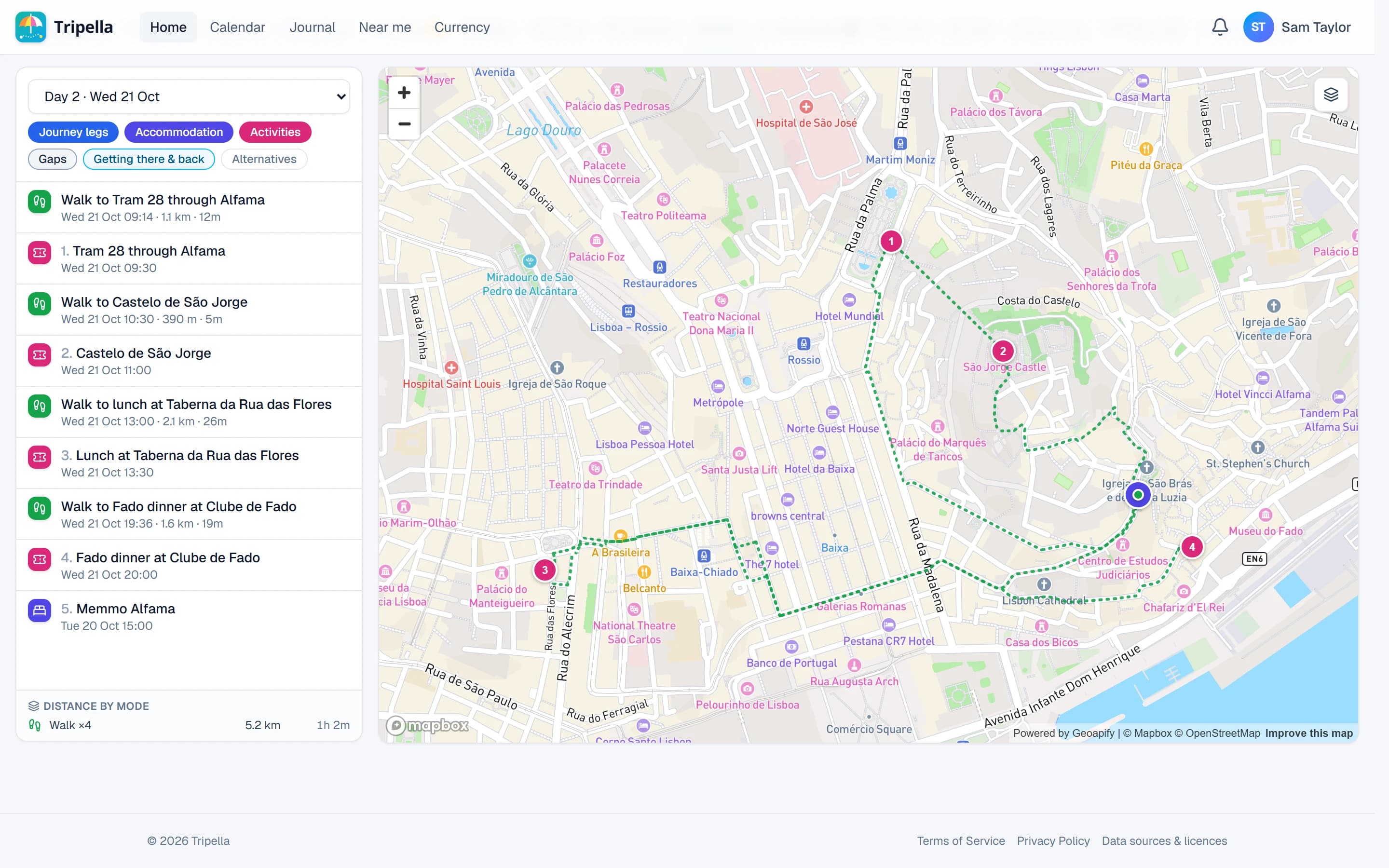
Every route, drawn on the map
Walks, trains, drives and flights, each in its own colour and numbered in order, one day at a time or for the whole trip. Great for spotting the day that's trying to do too much.
- One day or the whole trip
- Each kind of travel in its own colour
- Your stops numbered in order
And the little things that make a big difference
- Plan it together
Invite friends to plan with you. You can add travellers who haven't joined yet and link them to their account later.
- Weather ahead
Each day's forecast sits right on the plan, so you can swap the beach and the museum if rain's on the way.
- Near me
Cafés, sights and places open now, right where you're standing, with the AI's pick of the best.
- In your calendar
All your trips on one calendar, plus a feed for the calendar app you already use.
- Money abroad
A quick currency converter at the day's rates, wherever you are.
- Share and export
Email the itinerary or save it as a PDF, tickets included.
- Nothing missed
Notifications for invites, replies, reactions and plans that have moved, and a mute for the chattier trips.
- Lists and to-dos
Shared lists for the trip, with who's doing what and packing suggestions to get you started.
Where to next?
Sign in to pick up your trips. New here? Continue with Google, Microsoft or Apple to ask to join. New accounts are approved by hand while we grow.
Sign in or ask to joinPhotos in the screenshots from Wikimedia Commons: Ponta da Piedade and Alfama by Arne Müseler (CC BY-SA 3.0 de), Funchal by Dr. Thomas Liptak (CC BY-SA 4.0), Stonehenge by garethwiscombe (CC BY 2.0), Thermae Bath Spa by MichaelMaggs (CC BY-SA 2.5), the Seven Sisters by Ian Hawfinch (CC BY-SA 2.0) and the roast by Acabashi (CC BY-SA 4.0).